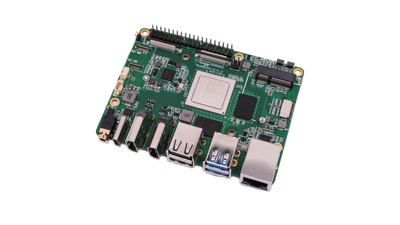

My self-hosted Ghost blog runs on a Raspberry Pi with OS, SSH and nginx hardening applied from CI/CD. In October 2026 it was compromised through the application layer: an unauthenticated SQL injection in Ghost's public Content API (CVE-2026-26980) exposed an Admin API key, which was then used to modify the site. This post is the public version of my post-incident review.
Summary
- What: an Admin API key was extracted through a blind SQL injection in the Content API, then used to upload and activate themes and to create and delete pages.
- When: attacker activity between 4 and 12 October 2026; detected and contained on 14 October; resolved on 17 October.
- Impact: temporary unauthorised theme and content changes. No evidence of access to member, staff or settings data, and no persistent content modification.
- Root cause: the deployment tracked a release line (Ghost 5.x) that had reached end of security support.
Timeline
- 4 to 12 October: three automated runs, each extracting the key and cycling attacker themes and pages.
- 14 October: unknown themes noticed; Ghost's audit log attributes the changes to an integration. nginx logs reveal the injection. Containment the same day.
- 17 October: upgrade to Ghost 6; remediation and hardening continue over the following week.
How the Attack Worked
The site ran Ghost 5.130.6, affected by CVE-2026-26980 (GHSA-w52v-v783-gw97, rated 9.4 Critical): a SQL injection reachable through the filter parameter of the Content API. It affects Ghost 3.24.0 through 6.19.0 and is fixed in 6.19.1; no fix was released for 5.x. The attack had three stages:
- Blind data extraction. The Content API key is public by design, so no credentials were required. About 1,600 crafted requests each encoded a boolean condition about one character of a secret, observable as an HTTP 200 or 500 response. This is classic boolean-based blind SQL injection.
- Credential theft. The target was the first row of the API key table: the Admin API key of a default integration that was provisioned with Ghost but never used or revoked.
- Abuse of the Admin API. A scripted routine uploaded and activated themes, created a page, requested it, deleted it and switched back. Seven theme uploads and six activations over three runs.
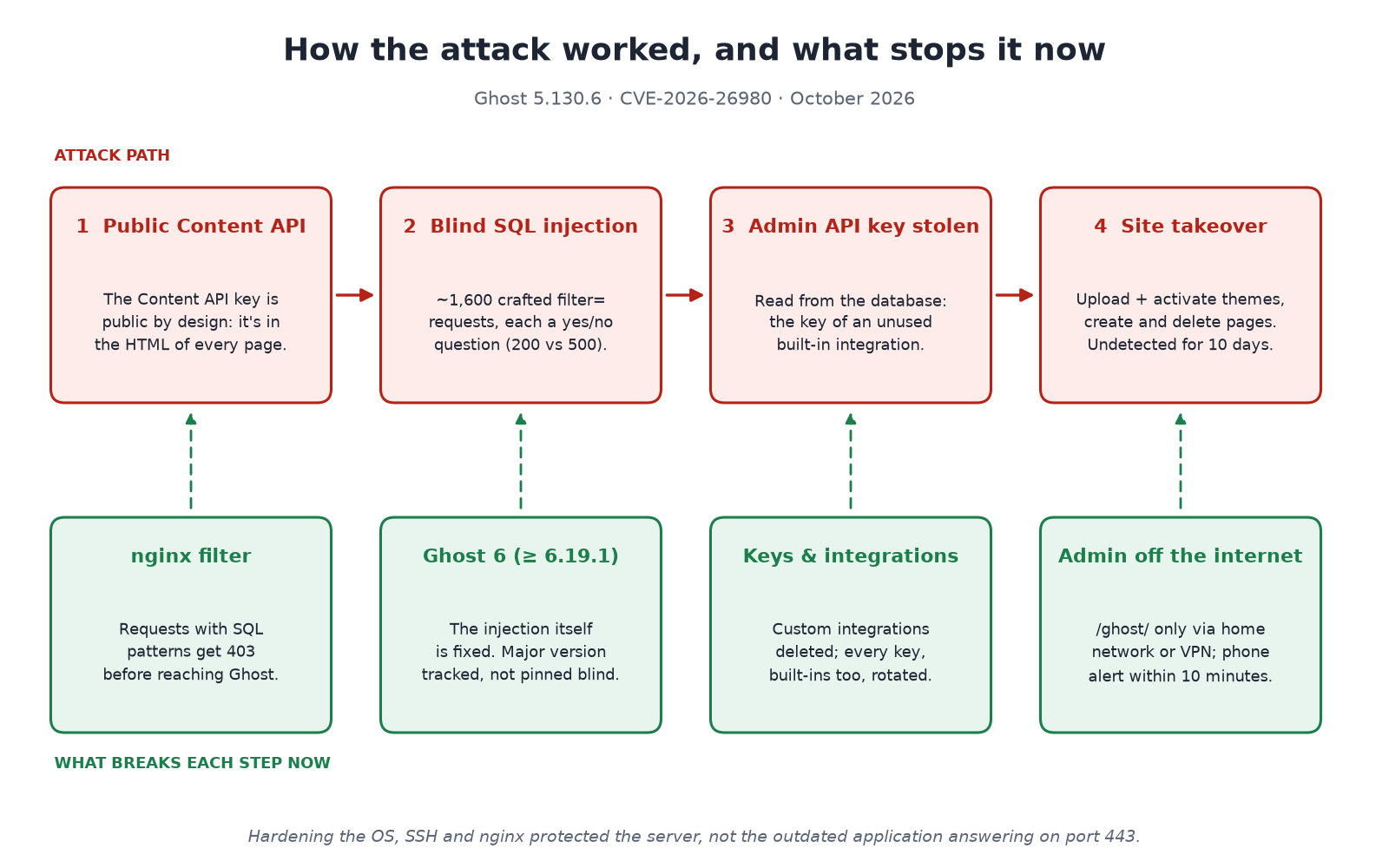
Scope was limited: the injection was used only against the API key table, and the stolen key was not used to read members, staff or settings. Posts and site-wide code injection were verified unmodified, a check that matters because the wider campaign exploiting this CVE was known to inject scripts into post content.
Root Cause
Version lifecycle gap. The deployment tracked the ghost:5-alpine image tag. Automated updates worked as designed and kept the container current, but within a release line that had stopped receiving security fixes when Ghost 6 shipped. The update process was sound; it was scoped to the wrong release line, and nothing monitored the support status of that line.
OS, SSH and web server hardening were effective at their layer. They don't address vulnerabilities in the application serving traffic on port 443.
Contributing Factors
- Excess privilege: a default integration held a live Admin API key, unused, with a key that had never been rotated.
- Admin surface exposed: the Admin API was reachable from the internet, so a stolen key worked from anywhere.
- Detection gap: no alerting on configuration changes. Detection relied on noticing visual changes, which allowed a dwell time of about ten days.
- No request filtering in front of the application, although the payloads were easy to recognise.
Detection and Investigation
- Ghost's audit log (
actionstable) attributed every theme change to an integration rather than a staff user. - The API key table identified the key used: one belonging to a default integration with no configured use.
- Ghost's request log listed every Admin API call made with that key, establishing exactly what was read and changed.
- nginx access logs showed the extraction: hundreds of Content API requests with long encoded
filtervalues, alternating 200 and 500, from a single source.
Remediation
Containment before rotation. While the injection was still open, any rotated key could be re-extracted. The first step was therefore an nginx rule rejecting query strings with SQL syntax and encoded characters, the pattern common to every attack request:
# /etc/nginx/snippets/block-sqli.conf, included in the server block
if ($args ~* "(select|union|sleep|benchmark|case(%20|\+)+when|information_schema)") {
    return 403;
}
It's a targeted stopgap rather than a WAF. It closed the attack path within minutes and remains in place as defence in depth.
Eradication and recovery:
- Upgrade to Ghost 6, the definitive fix, with the image tag on the supported major version and end-of-support dates tracked.
- Credential rotation in three tiers: all Ghost-issued keys and sessions ("Reset all authentication"); third-party keys stored in Ghost's settings, which that reset does not cover (newsletter e-mail provider, Stripe); and server-side secrets (database, SMTP, backup storage).
- Least privilege: unused custom integrations and stale CI tokens removed. Ghost doesn't allow deleting built-in integrations, so their keys were regenerated instead.
- Reduced attack surface:
/ghost/(admin UI and Admin API) is restricted to the home network, with remote access through an existing WireGuard VPN. The Content API remains public, as search and member sign-in depend on it. Internal services are bound to localhost. - Detection: a scheduled check of Ghost's audit log raises a push notification (ntfy) for changes to settings, themes, staff or integrations, plus bursts of blocked requests, downtime and missed backups. Time to detect drops from days to minutes.
A Finding Beyond the Incident: Backups
Preparing the upgrade surfaced a separate issue: a backup verification gap. The weekly job archived a legacy volume from a previous deployment layout rather than the live database. Its success checks (job completed, upload succeeded) never validated the archive's contents.
Backups now include an application-consistent mysqldump taken immediately before each archive. A restore into an isolated database matched production exactly.
Lessons for Self-Hosters
- Track support status, not just updates. Pinning a major version is fine if you monitor its end of support.
- Treat default integrations as credentials. Delete custom integrations you don't use, and regenerate the keys of built-in ones (Ghost won't let you delete those).
- Keep administrative interfaces off the public internet. A VPN or allow-list limits what a stolen key can do.
- Alert on configuration changes, not only on resource metrics.
- Contain before you rotate while a vulnerability is still exploitable.
- Verify backups by restoring them. A successful job is not a successful backup.
- Hardening and patching are separate controls. One doesn't substitute for the other.
I've updated my earlier posts on hardening Ghost on a Raspberry Pi and deploying themes from GitHub to reflect these changes. If you run Ghost yourself, check that your version is 6.19.1 or later.